
Skip to content
TheTechBoy
TheTechBoy

  • Verse of The Day
  • About Us
    • Media
    • Wiki (beta)
  • Podcast
  • Teen
  • All Press Releases
TheTechBoy

Auto Decrypt Caesar Cipher on Android!!

TheTechBoy, May 7, 2025

Hello, this is TheTechBoy with a special article.

     As part of our spy series, you may want to decrypt some codes. In this article, I will show you how to use the auto-decrypt function of the Caesar Cipher app on Android.
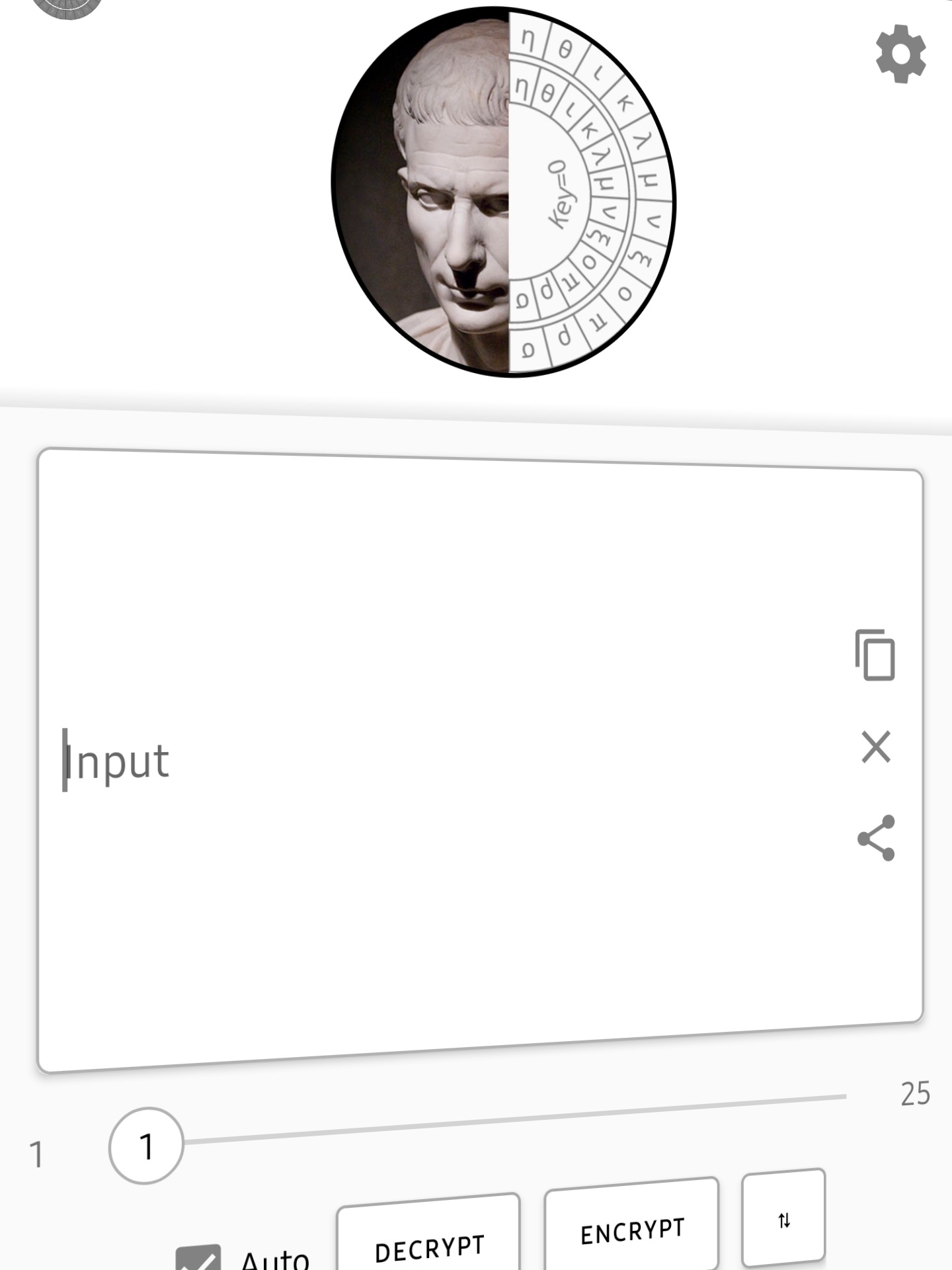
First, ensure the app is installed and ready to use. When you open it, click the settings gear and check that your language is selected and the correct alphabet is set.

     Import your cipher into the first box and make sure the auto button is selected. Within a few seconds, the text should auto-decrypt! This application is amazing, and I wish it worked on PC!
God bless, and UIFUFDICPZ JT UIF CFTU!!

Uncategorized Caesar cipherCodingspy

Post navigation

Previous post
Next post

Leave a Reply Cancel reply

Your email address will not be published. Required fields are marked *

This Week In TheTechBoy Podcast

Popular Posts

  • This Week In TheTechBoy + Podcast Ep 8
  • This is Getting Ridiculous
  • How To Use GeoSpy AI: Geolocate Images With JUST A PICTURE!!
  • How To Make Stunning Ai Wallpapers On S24 Ultra!!!
  • How To Put Microsoft Edge Mobile In Desktop Mode
  • Snapdragon Releases The 4 Gen 2 Mobile Platform

©2026 TheTechBoy | WordPress Theme by SuperbThemes