
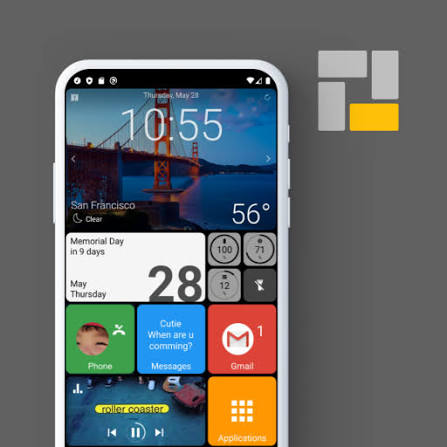

I spent the past week using Square Home as my daily launcher, and here’s my honest take.
Performance Hit
The most noticeable change was how much sluggish the phone felt. On day one it was tolerable, but by the middle of the week the lag became obvious. Tapping icons often resulted in a visible delay — sometimes a full second or two — before anything responded. App opening times also felt slower than my usual setup. If you’re someone who values snappy performance, this launcher adds friction you’ll notice every time you use your phone.
App Discovery
Finding apps became more tedious. Square Home’s grid-style layout forces you to scroll significantly farther than a standard launcher. The alphabetical or category sorting that many launchers offer is missing here, so hunting for less-used apps turned into a chore. Even the “smart” features felt minimal. The drawer does highlight your most recently used apps, but that’s essentially the only helpful touch. Everything else felt basic and dated.
Conclusion
Square Home gives off strong “classic Windows Phone” aesthetics with its square tiles, but the execution feels more like an older launcher aimed at seniors than the modern, AI-powered Windows Mobile successor I was hoping for. It’s not bad for what it is, but it didn’t deliver the premium, intelligent experience I expected. Next Up: Microsoft Launcher. True to the Microsoft theme, I’ll be switching to the official Microsoft Launcher next. Early signs suggest it’s heavier on system resources, so I’m curious to see how it performs in real daily use. Full review coming soon. Overall, Square Home is fine if you love the tile look and don’t mind some performance trade-offs. For me, the lag and extra scrolling made it hard to recommend as a daily driver.God bless, and tech talk to you later!!
Leave a Reply