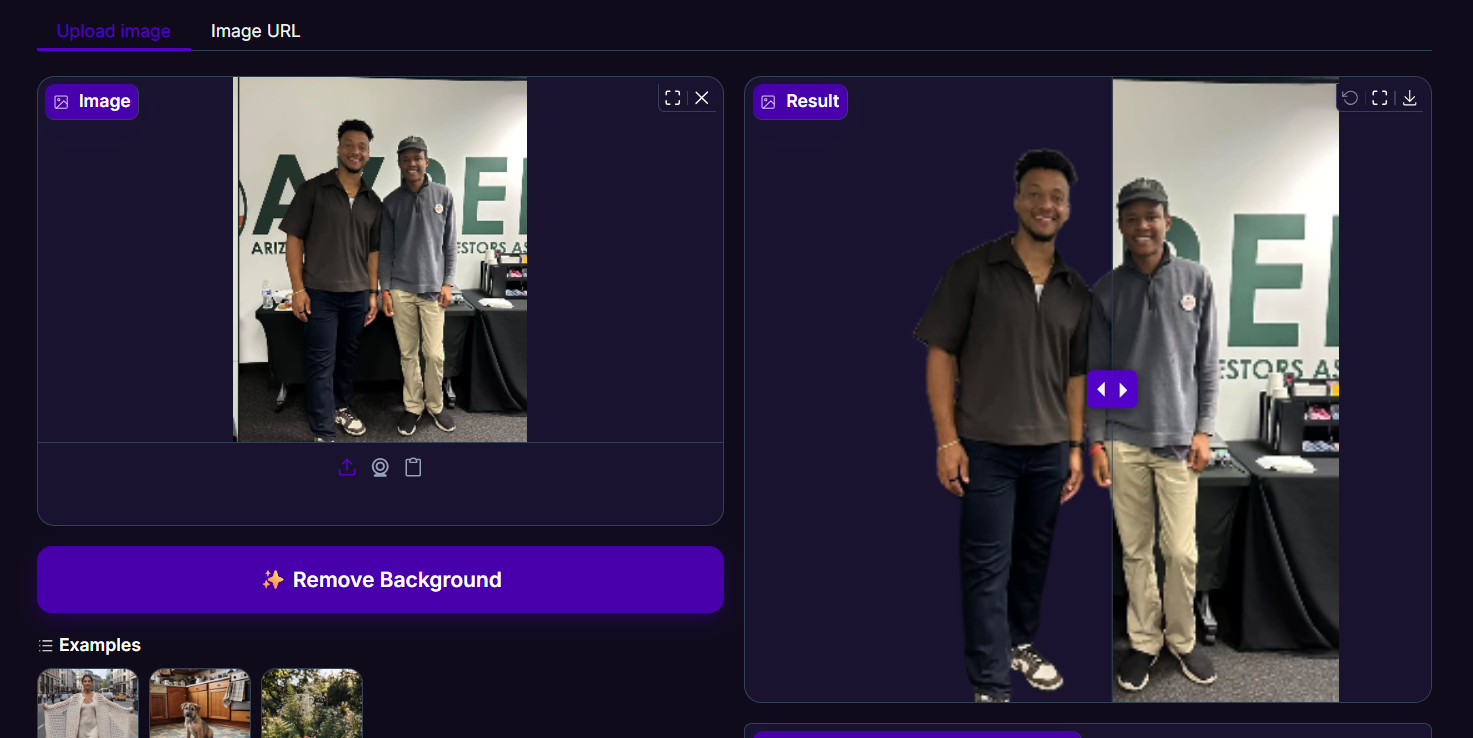
Remove.bg, the popular background-removal website acquired by Canva, is shutting down on December 1, 2026, at 9:00 AM CET. With many users searching for a reliable free replacement, I tested an open-source AI model hosted on Hugging Face called BRIA RMBG-3.0 (briaai/BRIA-RMBG-3.0. Hugging Face is a platform where developers share free, open-source AI tools, and after testing this model myself, I can confirm it is a strong alternative. It handles tricky edges like hair and fine details cleanly, runs fast, and costs nothing to use.
You can use it right in your browser without downloading or installing anything. Simply visit the BRIA RMBG-3.0 page on Hugging Face, upload your photo or paste an image link, and click the button to remove the background. Once it finishes processing, scroll down to preview and download your transparent cutout. Because it runs on Hugging Face’s free public servers, it works on any computer or phone with an internet connection.

I find the edge detecting to be too notch and it to be fast enough. I will work on a tutorial to get this running offline which is very complex.
Behind the scenes, BRIA RMBG-3.0 works differently than older background removers that simply trace around sharp color edges. Instead, it uses an AI image-editing model that understands the actual scene in your photo—separating the main subject from shadows, motion blur, and complex backgrounds. Rather than erasing pixels directly, the AI generates a precise black-and-white stencil (called an alpha matte) where the subject is solid white, the background is pure black, and soft details like stray hairs or fur are shaded in gray. Finally, the tool uses that stencil to make the background transparent while keeping your original photo at full quality.
Leave a Reply